

Asynchronous Communication: A Practical Guide for Distributed and Hybrid Teams

24 March, 2026
Share this article
Table of Contents
How many of the meetings you attended last week could have been an email or message?
If that question makes you a little uncomfortable, you're not alone.
Some teams work well without being connected at the same time. They respond to messages hours apart, move projects forward without daily meetings, and still maintain clarity on who's doing what.
That's not luck or exceptional culture: it's the result of a deliberate decision about how and when to communicate.
There's a name for that: asynchronous communication. And while the concept isn't new, more teams (especially hybrid and distributed ones) are adopting it as their default way of working.
This guide covers what asynchronous communication is, how it differs from synchronous communication, when it works best, and when it starts creating more problems than it solves. It also looks at the most widely used tools and how to combine async with in-person work so the whole system actually holds together.
If you lead a team and are thinking about how to structure internal communication more effectively, this is for you.

What is asynchronous communication?
Asynchronous communication is any form of information exchange that doesn't require participants to be present or available at the same time. One person sends a message, the other receives it and responds when they can, with no expectation of an immediate reply.
Emails are the most obvious example, but the definition goes much further. A status update in a project management tool, a recorded video explaining a decision, a voice message sent at 11pm so you don't forget it: all of that is asynchronous communication.
What defines this style of communication isn't the tool, it's the logic behind how it's used. If there's an implicit expectation of an immediate response, even over text message, you're already operating in synchronous mode.
That distinction matters because many teams use async tools with synchronous dynamics: Slack notifications on around the clock, emails expected to be answered within minutes, document comments that spiral into real-time conversation threads.
The result is the worst of both worlds: fragmented attention without the richness of an actual conversation.
When applied well, asynchronous communication gives people back control over their time and focus. That has a direct impact on work quality, concentration, and over time, on the work-life balance of everyone on the team.
It also opens the door to something that always-on teams rarely experience: the ability to disconnect without guilt, what some call a digital detox and that starts, in many cases, with redesigning how the team communicates.
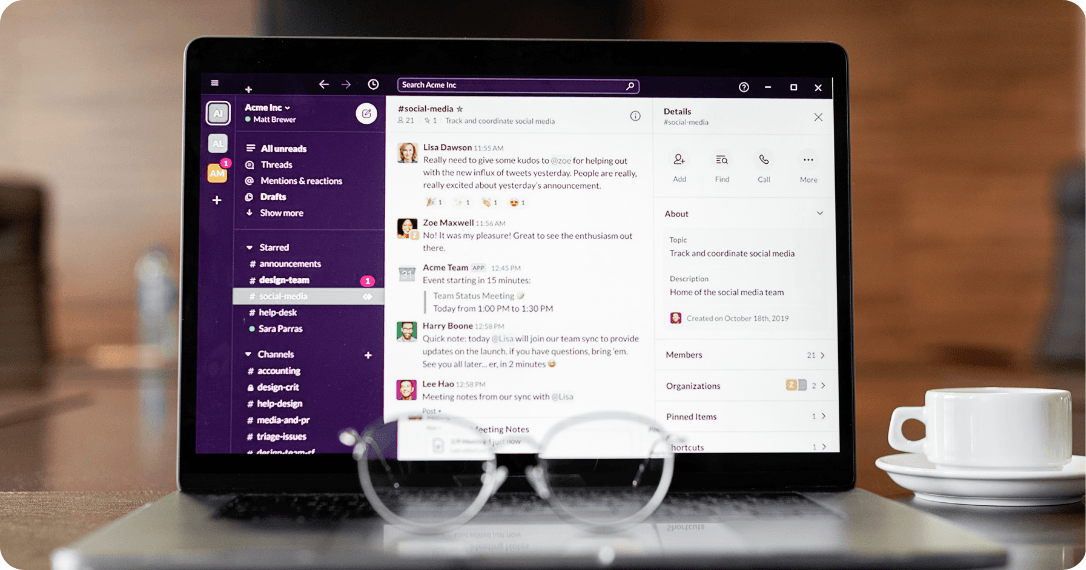
Asynchronous Communication Examples
To make it concrete, here are some of the most common examples in work environments:
- Email: The async format par excellence. It allows ideas to be developed in detail with no pressure to respond immediately.
- Voice messages or recorded video: Useful for explaining something with nuance or context without scheduling a call. Tools like Loom or voice notes in WhatsApp fit here.
- Document comments: Feedback on a deliverable, questions about a proposal, or annotations on a brief. Everything happens without both parties needing to be online at the same time.
- Project management updates: A status change in Asana or a comment on a Notion task communicates progress without interrupting anyone.
- Internal communication channels: Messages in Slack or Teams that don't require an immediate response, especially when configured with clear expectations around response times.
Synchronous vs Asynchronous Communication: Key Differences
Synchronous communication happens in real time: both parties are present and the conversation flows immediately. A meeting, a call, a chat with instant replies. Asynchronous communication, as we've covered, doesn't require everyone to be available at the same time.
The difference isn't just technical. It's a difference in how work gets structured, how decisions get made, and how attention gets distributed throughout the day.
The most common mistake isn't choosing the wrong one. It's not choosing at all.
Teams that default to synchronous communication for everything end up with packed calendars and little capacity for deep work. Teams that go fully async lose alignment and shared context, which makes data-driven decision making especially difficult when quick consensus is needed.
The useful question isn't which one is better. It's which one fits the situation. A strategic decision involving five people with different perspectives probably needs a real-time conversation. A weekly progress update almost never does.
A practical rule: if the topic requires immediate back-and-forth, carries emotional weight, or involves ambiguity that a message can't resolve, go synchronous. If it can wait hours or even a day without affecting the outcome, async is enough and probably better.
Synchronous communication works best for:
- Decisions that require immediate consensus
- Conversations with emotional weight or underlying conflict
- Brainstorming sessions where real-time exchange generates value
- Onboarding new team members
- Crisis situations or urgent changes
Asynchronous communication works best for:
- Progress updates and status reports
- Feedback on deliverables or documents
- Coordinating across different time zones
- Work that requires deep focus without interruptions
- Decisions that aren't urgent and benefit from prior reflection
Benefits of asynchronous communication
Adopting an async communication model isn't just an operational decision. It's a decision about how a team wants to work and what kind of results it expects to get. Here are the most concrete benefits:
1. Greater capacity for deep work
When there's no expectation of an immediate response, people can structure their day around real blocks of focused work. Productivity-focused messaging strategies reduce constant interruptions and improve the quality of output.
Research suggests it can take up to 23 minutes to recover from a single interruption: in a day full of meetings and notifications, that cost adds up fast.
2. Better documentation by default
Async communication leaves a trail. Decisions, context, reasoning: everything gets recorded without any extra effort.
This reduces dependence on collective memory and makes it easier for new team members to get up to speed without needing someone to walk them through everything from scratch. For distributed team coordination, that institutional knowledge becomes especially valuable over time.

3. Real flexibility for distributed teams
For teams operating across different time zones or under hybrid work models, async isn't a preference, it's a practical necessity. It allows each person to work at their peak energy and focus, without having to adjust to a time window that only works for some. That's what flexible team communication looks like in practice: people doing their best work on their own terms, not on someone else's schedule.
This flexibility also opens up the possibility of working from different types of spaces depending on the task. For teams that need to alternate between individual work and in-person collaboration, access to a network of coworking spaces can make a concrete difference in how the week gets structured.
4. More considered decisions
Immediacy doesn't always produce the best answers. When someone has time to think before responding, the quality of the conversation improves.
This is especially valuable in teams where decisions have an impact across multiple areas or people, and where remote team alignment depends on everyone having the space to contribute thoughtfully.
5. Fewer meetings, more intention
When asynchronous communication is well implemented, the meetings that do happen have a clear purpose. They're used for what genuinely needs real time: strategic alignment, difficult conversations, relationship building. Everything else gets resolved without scheduling anything. That's async workflow optimization working as it should.

Disadvantages of asynchronous communication
Asynchronous communication isn't a universal solution. Like any work model, it has clear limits, and understanding them is what allows you to use it well without creating a new set of problems.
1. Undefined response times
Without explicit agreements about when a response is expected, async can generate anxiety and uncertainty. How quickly should someone reply? When is it acceptable to follow up?
Without clear rules, everyone operates on their own assumptions, and that creates friction. Teams that adopt asynchronous communication without defining these agreements often end up with the same problems they were trying to solve, just spread out over time.
This is one of the most overlooked aspects of remote collaboration: the mechanics of async communication are easy to adopt, but the culture and agreements around it take deliberate work.
2. Risk of isolation
Flexibility has a cost if it isn't managed well. People who work in predominantly async environments can lose their sense of belonging, especially when there are no regular moments of real-time contact.
That risk increases in distributed teams where casual interaction, the kind that happens spontaneously in an office, simply doesn't exist. Without intentional structure, flexible team communication can quietly become disconnection.

3. Not suitable for every situation
Some conversations don't work in a delayed format. A conflict between two team members, a decision that requires immediate consensus, a crisis situation: forcing these into async channels isn't just inefficient, it can make things worse.
The general rule is that if a topic carries emotional weight, high ambiguity, or real urgency, it needs synchronous time.
4. It can generate more noise, not less
Paradoxically, poor async communication can multiply messages rather than reduce them. Endless threads in Slack, email chains with too many recipients, document comments that raise more questions than they answer: all of that is async done wrong.
The problem isn't the model, it's the lack of structure and judgment in how it's used. Without clear messaging strategies, async tools become a different kind of interruption.
5. When async stops working
Beyond specific situations, there are structural conditions that limit its effectiveness. A team with more than 15 to 20 active collaborators on the same project, without clear communication protocols, starts losing coordination.
When response times consistently exceed 24 hours, progress fragments. And when more than 60 to 70 percent of communication happens asynchronously without any regular synchronous counterbalance, team culture weakens in ways that aren't always immediately visible.
Knowing these limits isn't an argument against asynchronous communication. It's what allows you to use it with judgment.
The Role of Physical Space in Distributed Team Coordination
Teams that execute asynchronous communication most effectively almost always have one thing in common: they see each other in person regularly. Not because async fails, but because in-person time makes it work better.
Trust, shared context, and a sense of belonging don't get built in delayed messages. They get built face to face. When that foundation exists, messages are interpreted more accurately, there are fewer misunderstandings, and less need to clarify what's already understood by default.
That's what sustainable remote team alignment actually looks like: not just good tooling, but a team that knows each other well enough to communicate with less friction.
For teams of 8 to 15 people operating predominantly asynchronously, one or two days of in-person work per week is usually enough to maintain that cohesion. Not to hold meetings, but to make the rest of the week in async mode run without friction.
For larger distributed team coordination efforts, the same principle applies: regular in-person touchpoints anchor the async work that happens in between.
The challenge for hybrid and remote teams is that they don't always have a suitable space to meet. That's where Pluria comes in: a platform that connects teams with more than 1,000 workspaces across LATAM and Europe, from coworking spaces to private offices, with no fixed lease commitments.
If you want to see how other teams have made it work, you can browse Pluria's success stories.

Conclusion
Asynchronous communication isn't a trend or a magic solution. It's a decision about how a team structures its time, attention, and way of working together.
When applied with judgment, it reduces interruptions, improves the quality of work, and makes it possible to coordinate distributed teams that don't share the same schedule or the same space. When applied without structure, it reproduces the same problems it was meant to solve, just spread out over time and harder to spot.
The question worth asking isn't whether to adopt asynchronous communication. It's when and what for. Which conversations can wait, which ones can't, which decisions need real time and which ones benefit from prior reflection. That's what separates teams with a genuinely effective async workflow optimization from teams that simply have Slack notifications turned off.
And if your team operates in a hybrid or distributed model, remember that async works best when regular in-person time holds it together. Flexible team communication and in-person collaboration aren't opposing models. They're part of the same system.
Remote work
Keep up to date with our most recent articles, events and all that Pluria has to offer you.
By subscribing to the newsletter you agree with the privacy policy.

The future is hard to predict.
Unfortunately, there’s no crystal ball that can tell us exactly what will happen. Yet, there are structured methods that[...]
22 October, 2025

In today’s fast-paced business environment, projects move faster than ever before.
Customer expectations shift constantly, new competitors enter [...]
29 October, 2025

More often than not, the best ideas do not develop in a linear fashion.
As a matter of fact, they usually emerge from a single word, an unexpected conn[...]
07 November, 2025